Standard or Premium
After recording, open the Process card. Choose the conversation type and either Standard or Premium quality. You can also choose Trim to shorten the recording before sending it.
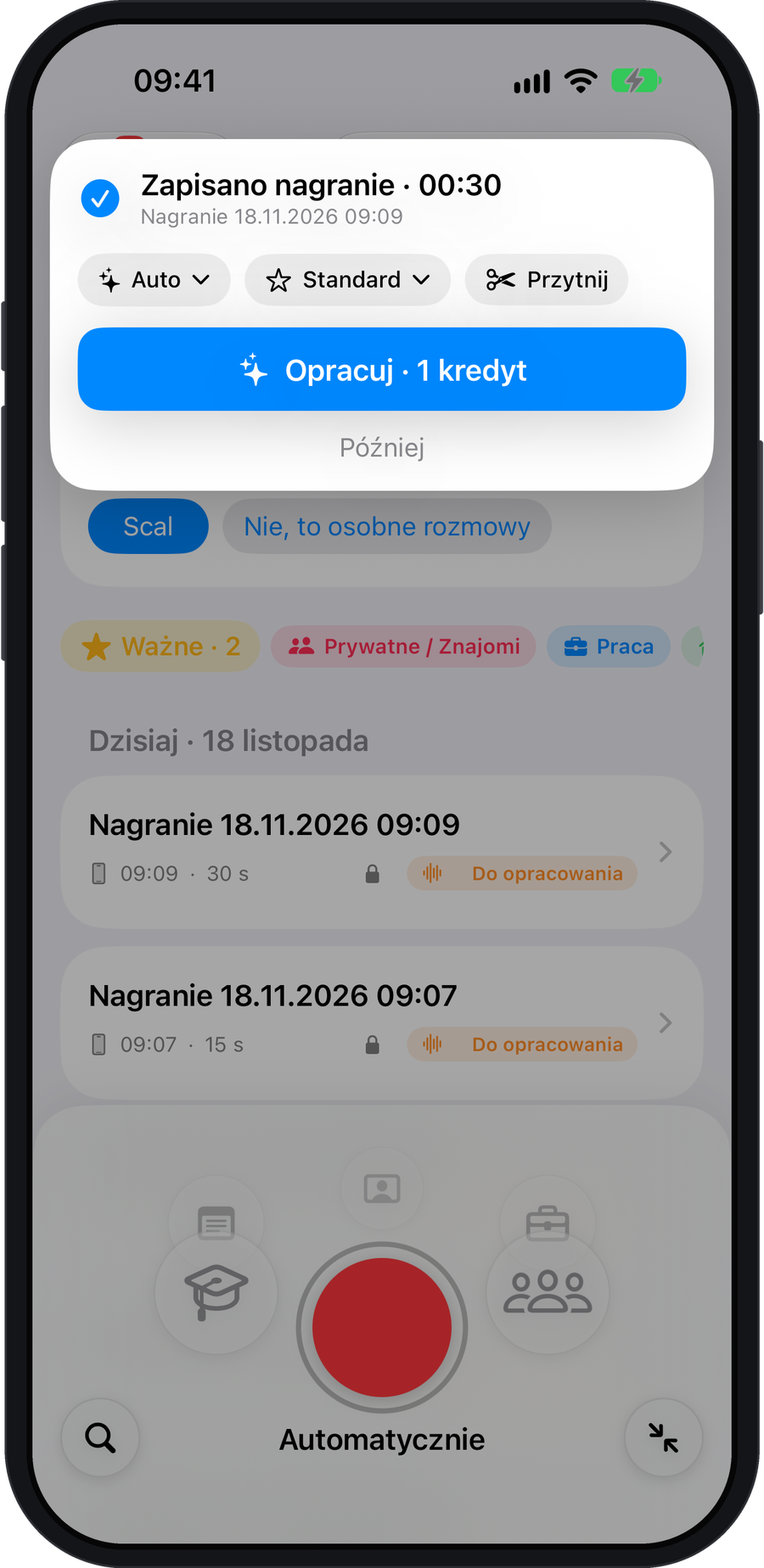
Review the cost and confirm
Check the cost of your selection on the Process button. Start processing or choose Later to leave the recording in your list.
Quality is a choice for each recording. The monthly Standard and Premium plans include the same features and differ in the number of credits you receive.